Sunday, July 22, 2012

Knowledge Quest


What happens when timelines and maps merge together?

An amazing thing!  That’s what.  It is known as TimeMaps. By Knowledge Quest.

TimeMaps are an interactive map software where you go to a selected map, and can select the time period and then click an arrow and see what happened to the area.  Did it expand?  Was it invaded?  Who was the ruler at that time?  Did anything else happen then?  You can move on and on. Learning so much.


Do you see all those little i’s?  They are information i’s.  They share with you so much information about the area they are on.

Once it zooms in even more information i’s appear, going further and further.  It feels like endless learning.


There are 7 TimeMap sets (priced at $9.95 per set) or get all of them for $44.95 downloadable:

  • Ancient China
  • Rise of Rome
  • Fall of Rome
  • Rise of Islam
  • The Black Death
  • European Exploration
  • Atlantic Slave Trade

“TimeMaps are computer software files that use Flash – a free program from Adobe. Maps are shown in chronological order at the click of a button and progress at your timing, showing how civilizations, countries and continents have changed over time. Quizzes and encyclopedic entries are included and can be turned on and off at your discretion. TimeMaps are a work in progress with many Ancient and Medieval civilizations having reached completion with more historical topics on the way.”
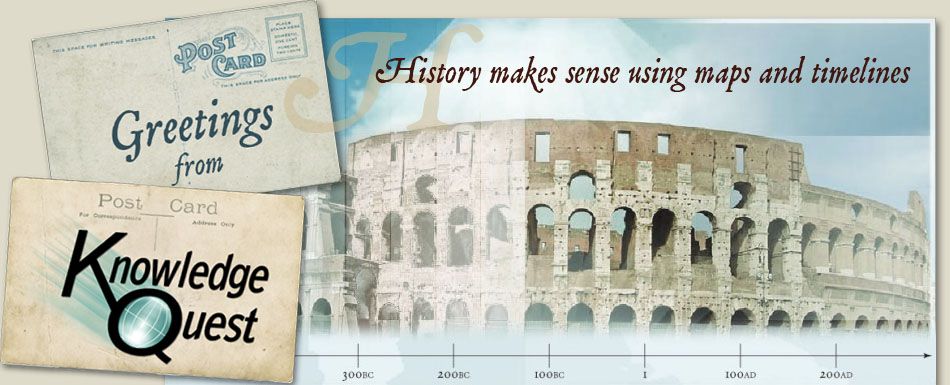
The TimeMap Collection includes all 7 sets  - 75 dynamic, animated maps, quizzes and encyclopedic information for each, as well as complete Teacher Notes with activities, map commentaries, timeline pages and student maps to label and color.  All for just $44.95 (Save $24.70 over purchasing individual sets!)

This would be a great addition to any history curriculum.  Also it is very easy to get lost in, learning more and more. 


To see what others though of this check out this post. To see a wide variety of reviews check out our crew blog.

Photobucket


Disclosure: As a member of The Old Schoolhouse Homeschool Crew I review products like this, which I receive for free in order to be able to share my honest opinion. 


Saturday, July 21, 2012

Summer Fun, Family Style!


We are big time into having family fun.  I mean look at my blog, it is called Family Style. 

We love doing things together.  I am realizing that as my children get older it gets harder to do.

We are also not made of money, so we look for inexpensive things to do.

You can find us:
P1010834P1020040
  • having campfires for dinner together
  • playing board games together
  • making fun food, like homemade popsicles, or cookies together
  • swimming at the local pool or lake together
  • going fishing together
  • hiking around together
P1020184P1020187P1020268


  •  cloud watching, stargazing or just laying on a blanket on our lawn together.
  • just hanging out together
  • checking out the local museum together
P1020028
  • doing science experiments or art projects together
  • Washing the cars together. P1020032
  • Going on scenic drives or short road trips together
P1010835P1020277
  • Even going to yard sales together

As long as you are doing something together and having fun while doing it.   Your family can have fun anytime of the year.  I hope some of these ideas inspire you to have some new family fun.
These really are just a few pictures of fun things we have done as a family this summer.
Photobucket


This has been part of the Family Fun Blog Cruise.
Check out how others have fun as a family in the summer too.


What is your favorite way to have fun as a family?


Friday, July 20, 2012

A few things my 6th grader has been up to.


Emily is my 11 year old daughter.  She loves art, sewing, singing, she is very social, she loves getting involved in our community.  She loves 4H, she loves swimming, reading and plain old having fun.

P1020266Lately she done a few great things she was able to take Katey and her friend out for a canoe ride.


One morning I woke up to this:P1020375

She had cooked a complete breakfast and set the table and everything.

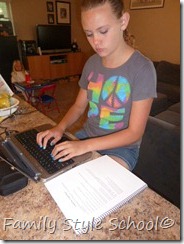
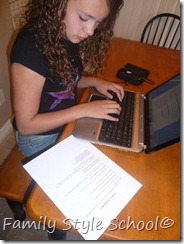
She has been learning how to type over the summer using Keyboarding for the Christian School. P1020378

She went to JYC, which is a 4H youth conference for 3 days.  She had a blast there and said she even had to dance with boys, she told me they had to drag her to do it.  {That’s my girl}

P1020389

She was in our towns Fourth Of July Parade, she was in the Oil and Energy section of the parade.  She held the sign that began that section.  Which really when you live in an oilfield town it is like watching traffic go by in slow motion.  LOL!

The kids all thought it was pretty neat to see “dads work truck” in the parade, even though they have seen it many times.

She also just got back from spending a week with her dad in South Dakota visiting Mt. Rushmore and everything else along the way.  So fun.

We are really gearing up for her to start Prairie Primer in about a month. 

Thursday, July 19, 2012

Summer fun!


We took a drive to the fish hatchery which is at the bottom of a magnificent canyon.
  P1020277
It was really neat to see all the stages of fish, we even saw how they load them into trucks to transport them to surrounding lakes. There were literally thousands of fish in each bay.
P1020280   P1020282
It was very neat to see them jumping at the waterfall from the water cycling through.
P1020283P1020324
We learned how the hatcheries do a lot of research on aquatic life as well as that the water is all from a natural spring.  They take extra precautions to be sure if you won’t contaminate their water with microorganisms from the nearby stream that the spring forms.  You can hike down along the stream to the Green River and picnic.  It was a four mile hike, we chose not to do it, we had our picnic right near the parking lot.
P1020327
After that we chose to take a different scenic route home, which took us to a lodge we like to eat at, near Flaming Gorge Reservoir.  We rented a paddle boat and took the kids out for a ride on a small lake that was there.  t
P1020329P1020330
P1020335P1020336


After that we drove to another place for dinner.  Then we made the 30 minute drive home and hit the sack.
It was really quite the day. 

Wednesday, July 18, 2012

Keyboarding for the Christian School

Keyboarding for the Christian School is an offline learn to type (& so much more) program with a Christian touch.  It is geared toward 6th grade and up.  They also offer a program for younger children as well.

The PDF file of more than 100 pages starts off simple with practicing 2 letters (keystrokes) at a time.  Review lessons are built in as well. 

  • The sections in the book are:S3010039S3010038
  • Alphabetic Keys
  • Numbers and Symbol Keys
  • Number Pad (10 key)
  • Centering
  • Enumerated Lists
  • Tab Key
  • Reports
  • Cover PageS3010041S3010040
  • Works Cited
  • Bibliography
  • Letters
  • Envelopes
  • Proofreader’s Marks
  • Timed Writings (as well as how to score them)
  • Tables

To use this program you will need to have your child type in some type of Word program.  We have word 2007 and the tutorials worked just fine.  You can use other word processing programs like Open Office or Google Docs even.

P1020376

The directions all seemed easy enough to follow and no teacher prep work was required.

 P1020202

It is created in PDF form so you can choose how to use it, some options are:

  • Print it off and secure it together
  • Pull it up on your computer and opening a new screen to type in
  • Pull it up on a tablet and let them view it from there while typing on a computer
  • Put it up on an overhead so multiple students can use it at the same time.

The possibilities go on.

S3010037

I did print the entire book off, double sided and had it bound at Staples for about $4.  It was well worth it for me to do that, she can flip the book and look at just one page at a time. 

Emily has become better as well as more confident in her typing as she has been working through this book.  This is a book we will continue to use throughout our homeschool since it teaches so much more than typing.

The E Book is priced at $15.95.   You can get a 20% discount just by using SUMMER2012 at checkout.  (Exp. 8/9/2012)

While I had never thought about using an actual book to teach typing, in fact I only knew of interactive programs out there.  This book has been great and is reusable as well as no subscription required. I do recommend it.


There are even some freebie lessons for you to check out!

To see what others though of this check out this post. To see a wide variety of reviews check out our crew blog.

Photobucket


Disclosure: As a member of The Old Schoolhouse Homeschool Crew I review products like this, which I receive for free in order to be able to share my honest opinion. 


Tuesday, July 17, 2012

I am back!


I am back to blogging!  I have kept extremely busy during this time. 

Some things I have done are:

  • Deep cleaned out my house
  • Had a Yard Sale
  • Planned for next year (still in progress)
  • Took a few field trips
  • Had Picnics
  • Went to Yellowstone
  • Cleaned out a storage shed
  • Had another Yard Sale

I will be blogging about many of these experiences as well as new ones, along with reviews, giveaways and more.  I do hope that you won’t miss a thing.

Be sure to follow me using Google Friend Connect, or Linky Followers on the side bar. 


There are plenty of other ways to follow Family Style as well, such as Pinterest (where I do much of my school planning, Facebook, Twitter, G+ and more.  Check the buttons in the side bar for these additional ways.

Monday, July 16, 2012

Professor B Math

Reviewing homeschool curriculum has given me the chance to try out companies curriculum that I never even knew existed.  Professor B Math fits exactly in that category.

Photobucket


Have you ever wanted to teach your child math and it just didn’t get through to them?  Professor B is created so that the teacher sits through the math lesson with the child.  You read and work through the problems with your child as well as correct them if necessary.

Professor B has 3 levels:

LEVEL I
Pre-k though 2nd graders and remediation of older learners. Introduction to Addition/Subtraction Facts – Counting to One Hundred – Lower Addition and Subtraction – Higher Addition and Subtraction – Place Value Fractional Parts & Order – Time – Money

LEVEL II
3rd grade through 5th grade and remediation of older learners. Multiplication/Division Facts and Problem Solving – Introduction to Fractions – Fractional Equivalence – Addition and Subtraction Fractions

LEVEL III
6th through 8th grades and remediation of older learners. Multiplication/Division of Fractions – Decimals – Percents

Not only do you get online access to the lessons, you get access to a PDF workbook for additional practice as well as an answer key.

The lessons were set up in a way that reminded me of a Power Point Presentation with no sound.  Sound was intentionally left out as to have the teacher sit with the student.  Which can be time consuming, however, this math program aims for mastery, and you need to be there to ensure that.

We used this program primarily with my 7 year old on level one,  she was still struggling with a recognizing a few numbers, while she does know addition and subtraction, when it comes to writing the numbers down she would ask for help.  Level one of this program has helped immensely with that.

As of right now, I am planning on continuing to use this for Katey this following school year. 

Emily did try a few lessons in level 2.  I started her a little behind where she actually is in math, thinking that if she had gaps this would help fill them. She did not enjoy that.  She kept saying I already know this, I already know this.  I think next time I start a new math I will start her a lesson or two behind so she can get the feel for the program and then move on. 


Each lesson on the computer took us about 30 min and then the worksheet. 

Professor B math is priced at $100 per level for 36 months of access.  While they say you can complete a level which is 3 years worth of math in as little as 10 months, they give you access for that long in case that is how long it takes for mastery.  Since the program does not keep track of where you are, you will need to track that on your own.  You may use it with multiple students.

To get the discount price of $100 for 36 months of access you must call 678-765-6655.  You can also call that number to set up a free 30 day trial. 

You can pay monthly for $20 access to one level, $35 for two, and $45 for all three level each month.

To see what others though of this check out this post. To see a wide variety of reviews check out our crew blog.

Photobucket


Disclosure: As a member of The Old Schoolhouse Homeschool Crew I review products like this, which I receive for free in order to be able to share my honest opinion. 


LinkWithin

Related Posts Plugin for WordPress, Blogger...